Effora
For iPhone and Android
Location-based reminders: Your phone speaks up at the right moment
Buy milk when you're at the supermarket. Pick up a prescription when you pass the pharmacy. Here's how it works and how to set it up.

A set time is often the wrong moment
A reminder at 6 pm is no use if you're still at the office at 6 pm. A location reminder comes exactly when you can actually do the task: when you arrive at the store or when you leave home.
How a location reminder works
Your phone draws an invisible circle around the place. When you enter or leave it, the alert comes.
In the background
Invisible circle
The operating system watches, on the app's behalf, whether you enter or leave a set area. The app doesn't have to be open for this. To make it work, the app needs permission to use your location in the background too, and it must be allowed to send you notifications.
Little battery
The system locates you roughly via the mobile network and Wi-Fi and only gets more precise nearby. A navigation app uses much more.
Choose the radius
Too small, and the alert only comes at the checkout. Too big, and it comes two streets early.
One specific place or any place of a kind
Usually you set an address, such as your pharmacy. Some apps can also remind you at any place of a certain kind, for example at every pharmacy you pass.
When it's worth it
Anything that can only be done at a specific place.
Supermarket, on arrival
Pick up milk and batteries
Comes when you pull into the parking lot, not first thing in the morning.
Pharmacy, on arrival
Fill a prescription
Best set to “any pharmacy”, if the app can do that.
Home, when leaving
Take the parcel to the post office
Speaks up at the front door while the parcel is still in the hallway.
Work, when leaving
Pack the charging cable
Just before you head off, not in the middle of a meeting.
Hardware store, on arrival
Buy wall plugs and screws
With measurements in the note. Which wall plug fits is explained in the guide Dübel wählen (in German).
Home, when leaving
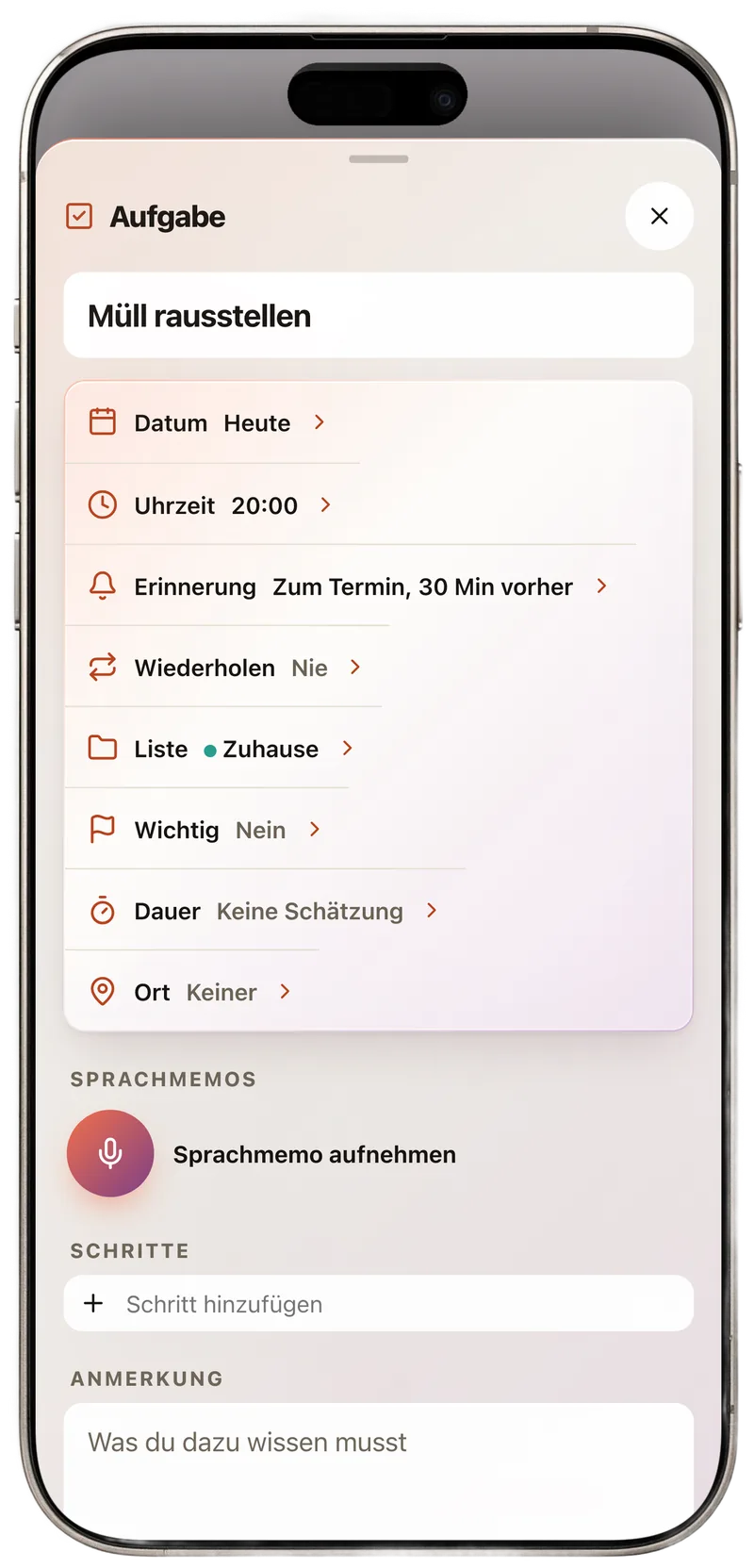
Take out the trash
Matched to collection day, see Abfallkalender 2027 (waste collection calendar for Germany, in German).
Checklist: why doesn't my reminder show up?
Choose your phone and go through the points. Most problems come down to a missing permission.
Your progress
0 of 6
How to set up a location reminder
The steps are the same in almost every to-do app.

-
Create the task
Short and with a verb, such as “fill prescription”. Anything you need there goes in the note.
-
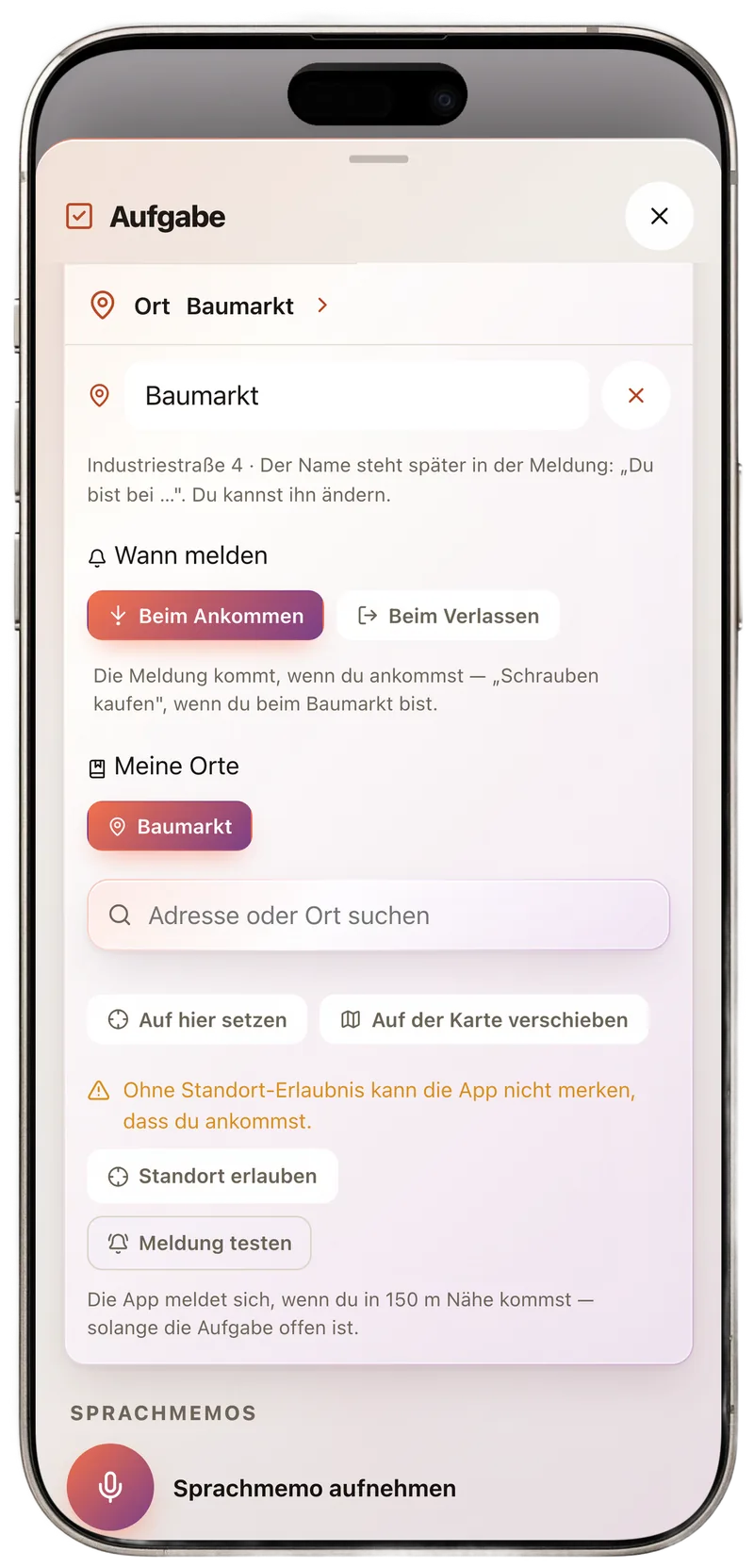
Choose the place
Search for an address or pick a saved place. If you often use the same places, save them once with a name, such as Home, Work or Supermarket.
-
Arriving or leaving
Shopping belongs to arriving, taking something with you belongs to leaving. If you can, choose a radius so the alert comes just before you reach the place.
-
Confirm the permissions
The first time, your phone asks for location and notification access. For reminders in the background, you need the “Always” permission.
Then test it: Create a reminder for leaving home and step outside once. If nothing comes, the checklist above will help.
Where to find the location permission
The exact names vary a little by version and manufacturer.
iPhone
- Settings, then Privacy & Security, then Location Services.
- Turn on the Location Services switch at the top.
- Choose the app in the list and set it to Always so it can remind you in the background.
- Leave Precise Location turned on. You allow notifications under Settings, Notifications.
Android
- Settings, then Location, turn location on.
- Open App location permissions, choose the app and set Allow all the time.
- Turn on Use precise location.
- On some devices, go to the app info under Battery and don't restrict background usage.
Frequently asked questions
Why doesn't my location reminder show up?
Usually a permission is missing: Location Services are off, the app may only use your location while you are using it, notifications are turned off, or a battery saver closes the app in the background. A very small radius can also make the alert come too late or not at all.
Does a location reminder use a lot of battery?
Usually very little. The system tracks your location roughly via the mobile network and Wi-Fi and only gets more precise near the destination. Many active places at once and a navigation app running all the time use more.
Which location permission does the app need?
For an app to remind you at a place even when your screen is locked, it must be allowed to use your location in the background. On Android the option is called “Allow all the time”, on iPhone “Always”. Precise location should be turned on.
Can anyone see where I am?
That depends on the app. With apps that process everything on the device, your location never leaves your phone. If in doubt, read the privacy details in the App Store or on Google Play.
Does it work without internet?
Detecting the place often works without mobile data too, but it is usually more accurate and faster with Wi-Fi and mobile network turned on. In airplane mode the alert may not come.
Reminds you wherever you are
Abhaken is the to-do app by Effora. One task, one place, done: the app speaks up when you arrive or when you leave.
- Location reminders, when you arrive or when you leave, on iPhone and Android
- My places: save them once with a name, after that the name is enough, even by voice
- Everything stays on your phone, no account needed